
ImageMover
FreeFree online AI tool that turns still images into short videos with motion and optional sound
Tool Information
What is ImageMover?
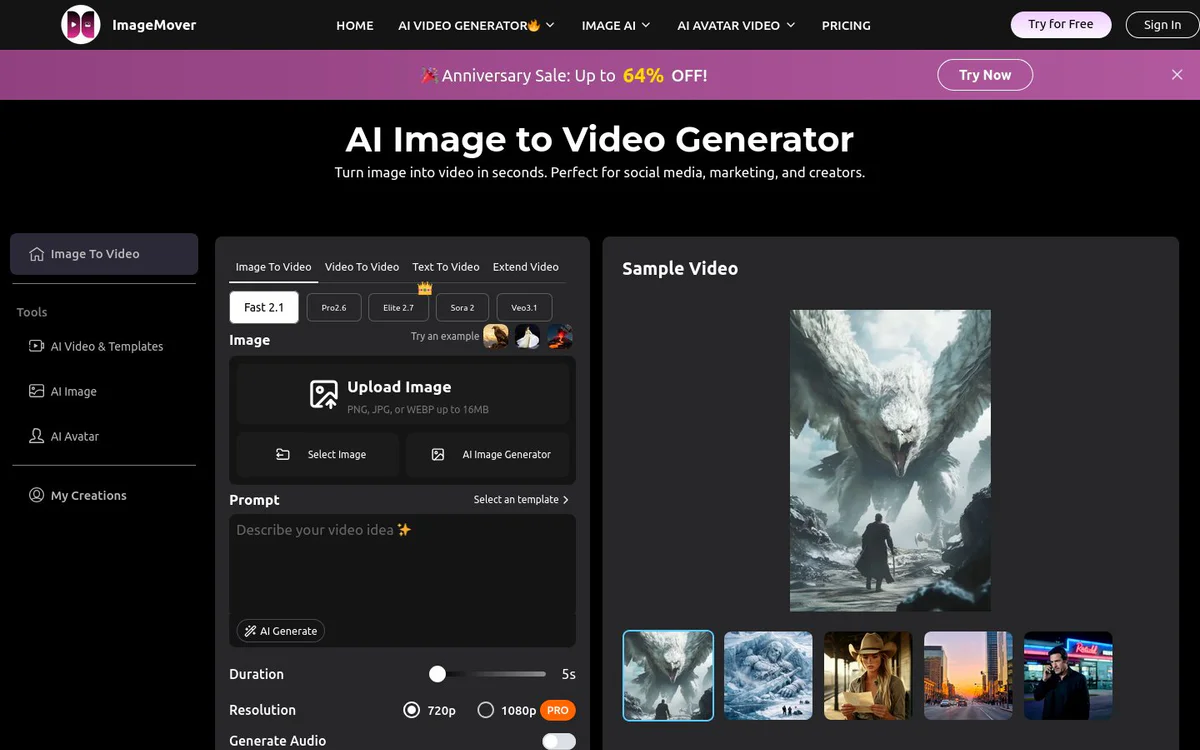
ImageMover is an online AI tool that converts still images into short videos with motion, optional sound, and multi-model generation options. Users upload photos and generate AI videos for social media, marketing, product promotion, and creative content, with controls for models, frames, duration, and sound.
Core Features
AI Image to Video Generator
Transforms static images into dynamic videos with realistic motion and smooth transitions from a single photo.
Multiple AI Models
Supports advanced AI video models including Fast 2.1, Pro 2.6, Sora 2, and Veo 3.1 for different balances of speed, realism, and creative control.
Custom Start and End Frame Control
Allows customization of both start and end frames to guide motion, scene transitions, and more accurate results from photos.
Consistent Character and Scene Control
Maintains consistent characters, products, and scenes across frames for smoother, more realistic video generation.
Automatic AI Sound Effects
Adds realistic sound effects and ambient audio automatically to generated videos for a more immersive result.
Upload, Customize, Refine Workflow
Upload PNG, JPG, or WEBP images up to 16MB, adjust duration, resolution, frames, and sound, then preview, extend, regenerate, and download.
Image Animation and Specialized Generators
Supports image animation use cases and specialized generators such as dance, kissing, faceless, video extender, and related motion effects.
Use Cases
- #1
Social Media Short-Form Content
Create videos for TikTok, YouTube Shorts, and other social platforms from still photos.
- #2
Product Commercials and E-commerce Ads
Turn product images into marketing and promotional videos for campaigns and brand promotions.
- #3
Creator and Lifestyle Videos
Generate birthday, pet, talking avatar, action and adventure, and sci-fi style videos from photos.
- #4
Animated Portraits and Motion Effects
Animate portraits and apply motion effects such as dance, hip shake, jiggle, and related creative animations.
- #5
Video Extension
Extend short videos seamlessly with an AI video extender workflow.
- #6
Faceless and Privacy-Oriented Content
Create faceless AI videos for creators who prefer not to show a face on camera.
Pricing Plans
Marketed as a free AI-powered online image-to-video generator and free image-to-video AI. The site footer links to a Pricing page, but full plan details are not clearly published by the official source.
Alternatives



Frequently Asked Questions
What is ImageMover?
Is ImageMover free to use?
What image formats and size limits does ImageMover support?
Which AI models can I choose from?
Can I add sound to the generated videos?
Who is ImageMover built for?
ImageMover Contact & Social Media
- Website:
Reviews
Share your experience with this tool...