
Rize
UnknownAutomatic time tracking and team visibility without timers or screenshots
Tool Information
What is Rize?
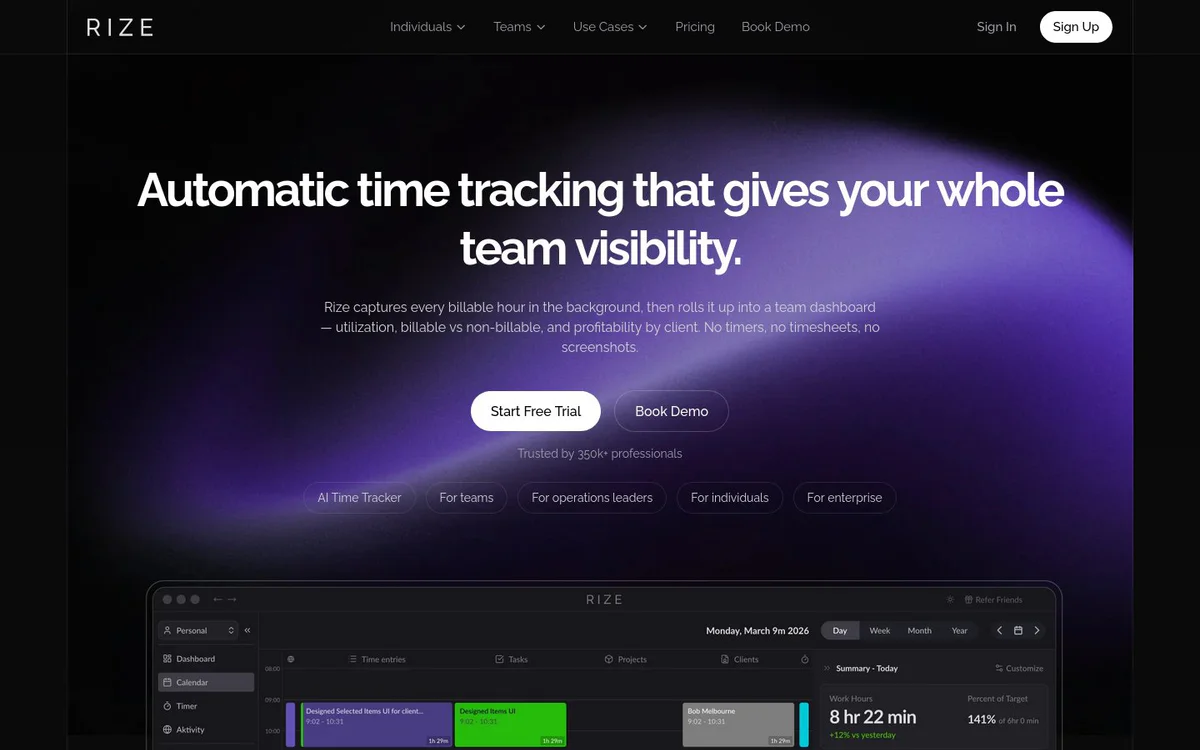
Rory is automatic time tracking and team visibility software that captures billable hours in the background and provides utilization, profitability, and productivity analytics without timers or screenshots. It automatically tracks time across apps and websites in the background, categorizes it by client and project, and delivers billable-hours reporting, team visibility, and profitability insights for agencies, professional services firms, and freelancers.
Core Features
Automatic Time Tracking
AI-powered time tracking that captures every minute across all apps and websites with no timers or manual entry required.
Productivity Analytics
Detailed focus metrics, daily scores, and personalized insights that show how time is spent and help improve workflow.
Billable Time and Reporting
Automatically track billable hours and generate detailed reports for clients, projects, and teams with one click.
Integrations
Connect with tools such as Google Calendar, Linear, ClickUp, Outlook, Asana, QuickBooks, and Slack to automate workflow.
Smart Client and Project Categorization
Time is automatically organized by client, project, and task to produce clean, accurate data with zero cleanup.
Real-time Visibility Without Micromanagement
See who is working on what, spot workload issues early, and monitor project progress without intrusive monitoring or screenshots.
Profitability Dashboard and Client Reports
Roll up tracked time into utilization, billable versus non-billable, and profitability views by client, plus automatic client reports.
Privacy-first Tracking
Never captures screens, keystrokes, or photos; only reads window metadata (app name, title, URL). Employees review and approve data before leadership sees it.
Invoicing
Turn tracked time into professional invoices automatically that connect directly to time data. Coming soon.
Team Analytics
Compare team performance and identify productivity patterns with aggregate reporting without individual surveillance. Coming soon.
MCP
Connect time data to AI tools through Model Context Protocol. Docs are live; public launch follows the MCP changelog announcement. Coming soon.
Use Cases
- #1
Creative and Digital Agencies
Track billable hours across clients without timers, view project profitability in real time, spot scope creep, and keep team utilization balanced.
- #2
Marketing Agencies
Automatically categorize time across campaigns, channels, ad platforms, design tools, and meetings for confident reporting and accurate retainer pricing.
- #3
Law Firms
Capture time by matter automatically for research, drafting, and client calls without timers or end-of-day reconstruction while protecting attorney-client privilege.
- #4
Accounting Firms
Track billable hours across client files, tax prep, and advisory work so the team can focus on delivery and overloaded members are identified before burnout.
- #5
Professional Services
Capture every engagement hour automatically for consulting, IT services, and advisory practices to bill correctly and keep utilization visible for capacity forecasting.
- #6
Freelancers and Solopreneurs
Run silent background tracking to quote accurately, bill confidently, and show clients exactly where the hours went.
Pricing Plans
Get Started for Free and Start Free Trial options are offered with no credit card required for download. Full pricing structure is not detailed in the provided official sources.
Alternatives







Frequently Asked Questions
What is Rory?
Does Rory capture screenshots or keystrokes?
What platforms does Rory support?
Which tools can Rory integrate with?
Is there a free trial for Rory?
Who is Rory designed for?
Rize Contact & Social Media
- CompanyRize Inc.
- AddressSAN FRANCISCO, CA
- Support
- Website:
- Twitter
- YouTube
- LinkedIn
- Discord
Reviews
Share your experience with this tool...