
workstreams.ai
FreemiumAI-powered visual workflow and project management for team collaboration in Slack and Microsoft Teams
Tool Information
What is workstreams.ai?
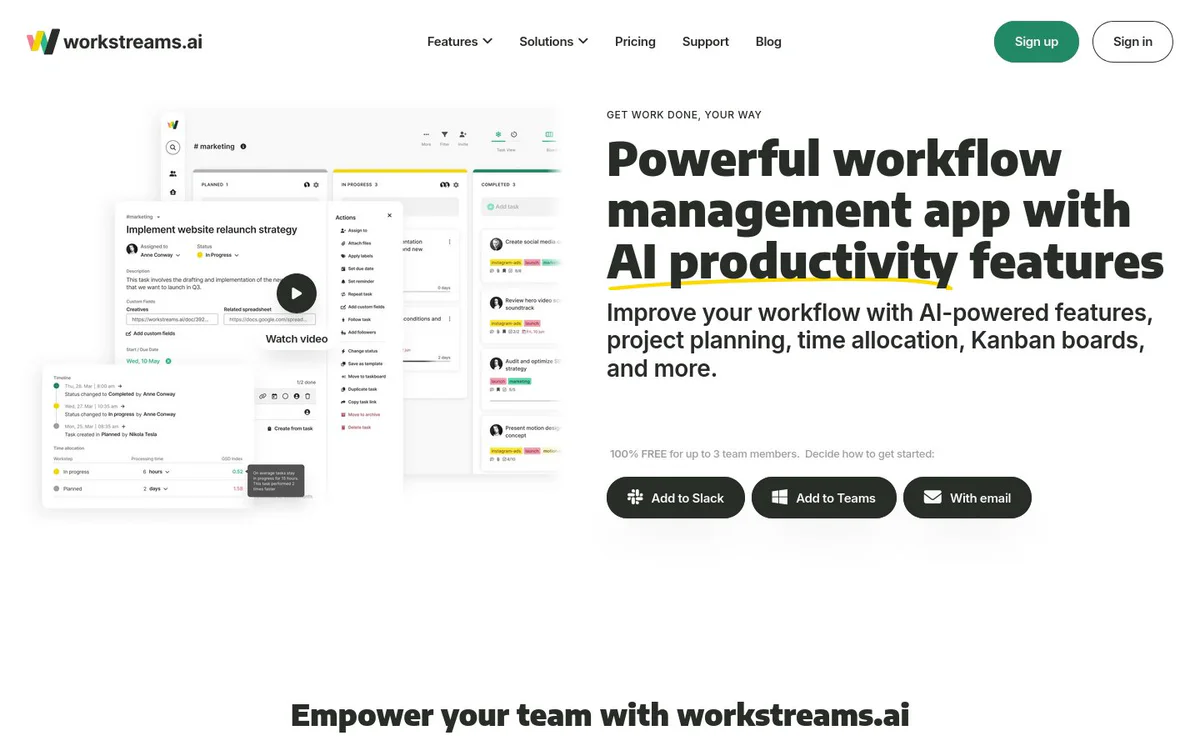
workstreams.ai is an AI-powered visual workflow and project management tool that enables teams to manage tasks and workflows with AI productivity features, customizable Kanban-based processes, automation, time allocation, and in-app collaboration inside Slack or Microsoft Teams channels. It is an easy-to-use visual project management and collaboration tool that inspires teamwork and streamlines collaboration between teams through powerful workflow management with AI features, project planning, Kanban boards, and more.
Core Features
AI Subtask Generator
Generate a list of checkable subtasks from a task description with a single click to turn long descriptions into action items.
AI Task Description
Create detailed task outlines via AI prompts with options to adjust tone, formatting, or expand the output.
AI Prompt Collaboration
View and share prompt history with the team, discuss ideas, and save favorite prompts as shortcuts.
Customizable Workflows
Design, develop, and use ready-made collaborative workflow solutions with workstep ownership, auto-assignees, and auto-forwarding rules.
Kanban Taskboards
Visual Kanban boards providing clear task overviews, smart filters, smart labels, My tasks view, and goals across boards.
Time Allocation
Track time spent on tasks at each process step to compare completion times, improve SLAs, and identify bottlenecks.
In-App Calendar
Monthly, weekly, and daily calendar views of tasks with markers for completed and overdue items.
Frozen Tasks
Visual reminders for tasks that have been stuck or frozen on a taskboard for a while.
Repeating Tasks
Automate task creation on daily, weekly, or monthly intervals and group recurring tasks into templates.
Slack and Microsoft Teams Task Creation
Create and manage tasks directly inside Slack or Microsoft Teams channels with organized discussion threads and notifications.
Use Cases
- #1
Marketing
Standardize marketing processes and campaign workflows with AI-assisted task creation and collaboration.
- #2
HR Management
Process every applicant and hire for every position using structured workflows and task ownership.
- #3
Customer Support
Handle customer requests with automated workflows, notifications, and clear task overviews.
- #4
IT Development
Manage development processes with customizable workflows, subtasks, and auto-forwarding.
- #5
Sales
Streamline sales processes using Kanban boards, assignments, and repeating tasks.
- #6
Account Management
Coordinate account-related work across teams with goals, labels, and ownership controls.
Pricing Plans
100% free for up to 3 team members; additional paid options available beyond that limit are not detailed on the provided pages.
Alternatives







Frequently Asked Questions
What is workstreams.ai?
Is workstreams.ai free to use?
Which platforms and integrations does workstreams.ai support?
What AI features does workstreams.ai offer?
Who is workstreams.ai designed for?
Can I create custom workflows with workstreams.ai?
workstreams.ai Contact & Social Media
- Support
- Website:
- Twitter
- Instagram
- YouTube
- LinkedIn
Reviews
Share your experience with this tool...