
Aperty
FreemiumDesktop AI portrait photo editor for professional photographers with natural skin retouching, batch processing, and Photoshop/Lightroom plugins.
Información de la herramienta
¿Qué es Aperty?
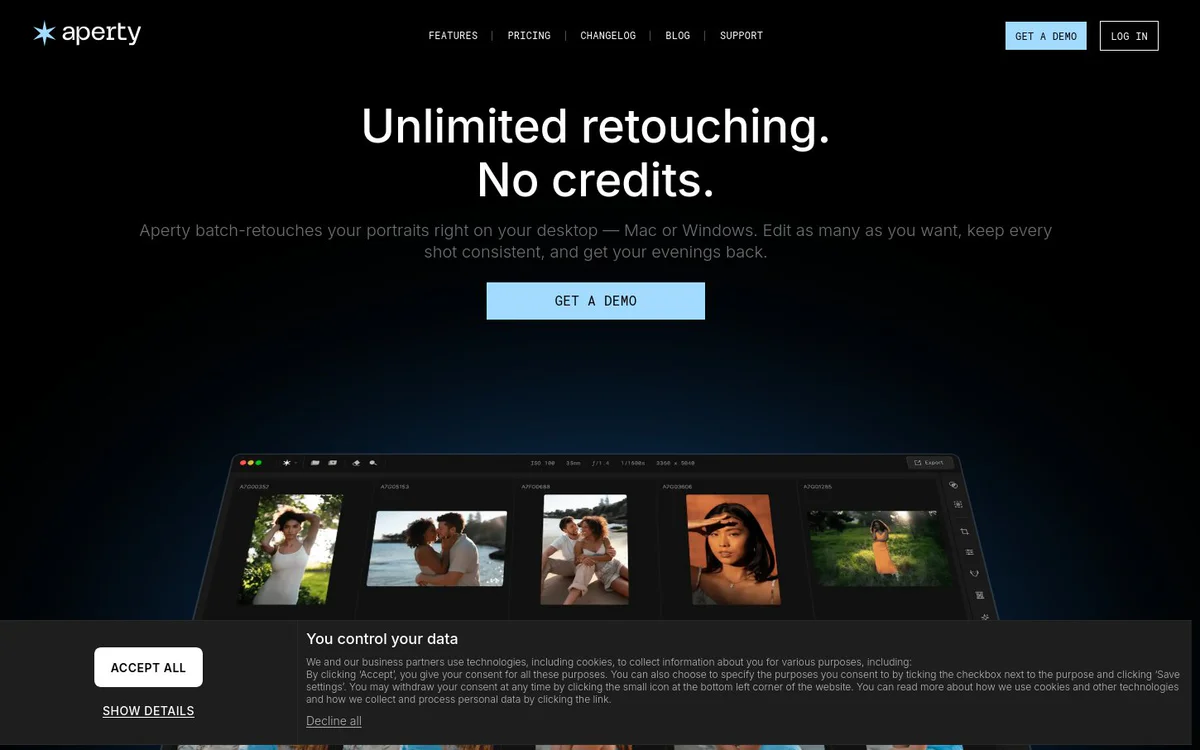
Aperty is a desktop AI portrait photo editor built for professional photographers. It delivers fast, natural-looking portrait retouching, skin enhancement, detail refinement, and consistent batch editing while keeping every file offline on Mac or Windows.
Características principales
Natural Skin Retouch
Natural smoothing, blemish cleanup, dark circle and wrinkle correction without a plastic skin look.
Batch Editing and Batch Sync
Apply edits across multiple images at once for consistent results and update the whole set in seconds.
Lightroom and Photoshop Plugin
Works as a plug-in for Photoshop, Lightroom, and macOS Photos without round-tripping or clumsy exports, or as a standalone program.
Unlimited Offline Editing
Edit as many photos as wanted fully offline on Mac or Windows with no per-image credits, no uploads, and files never leave the machine.
Skin Smoothing
Smoothes skin, refines facial details, and enhances photos with clean, natural-looking retouching for polished, realistic results.
Shine Removal
Softens harsh oily hotspots on forehead, nose, and cheeks while keeping skin texture and makeup detail natural.
Frequency Separator
Provides smooth, natural-looking skin while keeping real texture and speeding up portrait retouching.
Face and Body Reshaping
AI-powered reshape tool and precision editing for flawless, natural results on faces and bodies.
Aperty Eye Editor
Refreshes tired or red eyes, restores natural brightness, supports iris color enhancement, iris flare, eye whitening, enlargement, and more.
Portrait Bokeh
Keeps subject sharp while smoothing background distractions for a soft, cinematic portrait effect.
Makeup Tools
Enhance portraits by smoothing skin, defining eyes and lips, and creating natural-looking makeup results.
Teeth Whitening
Lifts stains, balances color, and keeps natural texture for clean, bright smiles without over-editing.
Casos de uso
- #1
Wedding Photography
Edit wedding photos faster while refining skin, light, and details to keep emotion and authenticity.
- #2
Corporate Photography and Headshots
Create polished, natural-looking corporate headshots and team portraits by refining skin, lighting, and facial details.
- #3
Outdoor Portraits
Edit outdoor portraits while preserving natural light, skin texture, and atmosphere.
- #4
Schools and Graduations
Smooth skin, fix light, and polish details for class and cap-and-gown photos ready to share or print.
- #5
Events Photography
Clean skin, fix small distractions, and unify color across whole event galleries.
- #6
Studio Photography
Refine skin, lighting, and details for clean, consistent, professionally finished studio portraits.
- #7
Family Photography
Gently refine skin, expressions, and details so family pictures feel warm and real.
Planes de precios
Start free option available. Unlimited retouching on the user's own computer (Mac or Windows) with no per-image credits, no monthly caps, and no uploads. Pricing page linked but full plan details not provided in sources.
Alternativas








Preguntas frecuentes
Does Aperty require photo uploads or cloud processing?
Are there per-image credits or monthly editing limits?
Does Aperty work with Photoshop and Lightroom?
Is there a free way to start using Aperty?
Can Aperty remove backgrounds?
Which platforms does Aperty support?
Aperty Contacto y redes sociales
- EmpresaSkylum
- Soporte
- Sitio web:
- Twitter
- Facebook
- Instagram
- YouTube
Reseñas
Comparte tu experiencia con esta herramienta...