
Veo 3.1 AI Video Generator
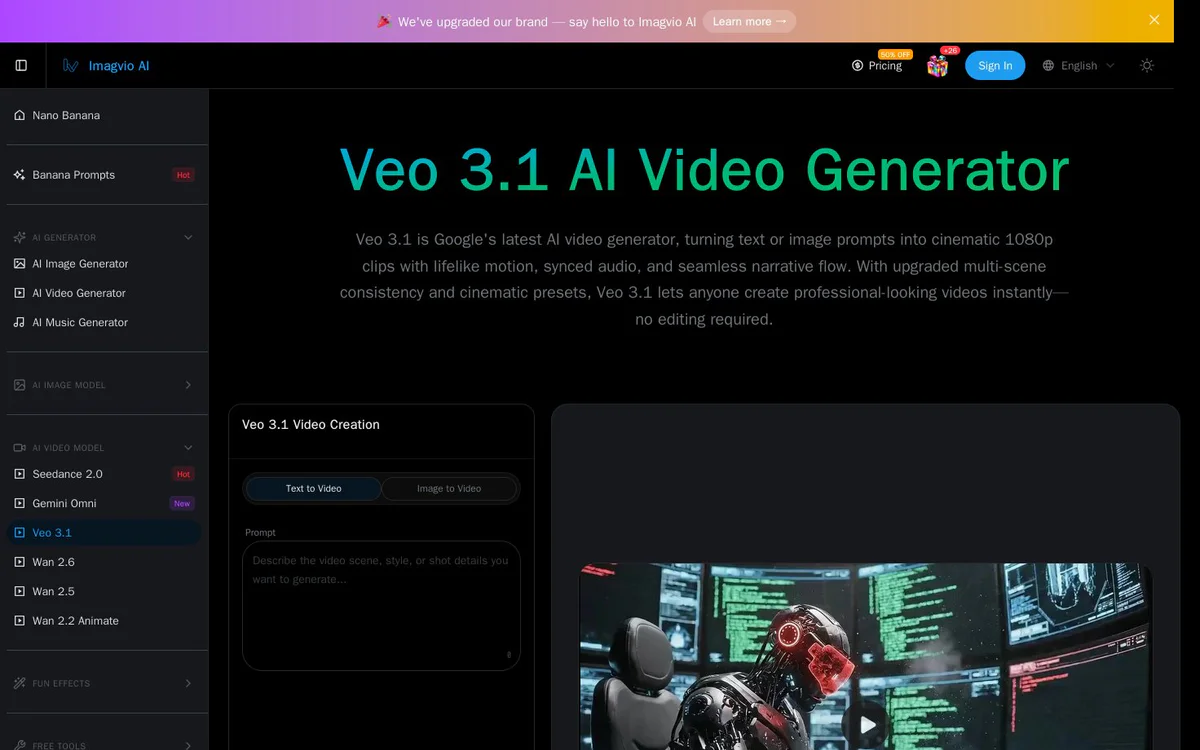
UnknownTurn text or image prompts into cinematic 1080p clips with lifelike motion, style consistency, multi-scene storytelling, and synchronized audio.
Información de la herramienta
¿Qué es Veo 3.1 AI Video Generator?
Veo 3.1 AI Video Generator is a web-based tool powered by Google DeepMind's Veo 3.1 model that transforms text or image prompts into short cinematic videos. It delivers lifelike motion, frame consistency, professional cinematic controls, multi-scene storytelling, and synchronized audio including dialogue, ambient sound, and music.
Características principales
Text to Video and Image to Video Generation
Converts text or image prompts into cinematic 1080p video clips with lifelike motion, style consistency, and seamless narrative flow.
Video Extension
Extend previously generated Veo 3.1 videos by seamlessly adding more frames while maintaining visual consistency and narrative flow for longer sequences.
Frame-Perfect Control
Specify first and last frames so the model fills in the motion between keyframes for precise start and end control with smooth AI-handled transitions.
Reference Image Guidance
Use up to three reference images to guide content and style, combining visual inspirations for composition, color palette, and aesthetic tone.
Audio-Visual Harmony with Lip-Sync
Built-in voice synthesis, music generation, and sound effects precisely aligned to visuals, including realistic dialogue with accurate lip-sync, ambient sounds, and background music.
Hollywood-Quality Cinematic Presets
One-click professional techniques including camera moves (pans, zooms, tracking shots), lighting moods (golden hour to noir), and stylistic tones (documentary to fantasy).
Seamless Multi-Scene Transitions
Create cohesive narratives with smooth transitions between scenes while maintaining character consistency, props, and environmental details across shots.
Casos de uso
- #1
Short Cinematic Video Creation
Generate professional-looking short video clips instantly from prompts without any editing skills required.
- #2
Multi-Scene Storytelling
Build longer narrative sequences with consistent characters and environments using scene extension and multi-shot support.
- #3
Audio-Synced Content Production
Produce videos where dialogue, ambient noise, and music automatically match visual motion and lip movements for ready-to-use clips.
- #4
Keyframe-Controlled Animation
Define start and end frames or use reference images to precisely control motion and style between key points.
Planes de precios
Generation uses a credit system (example shown: 35 credits). Upgrade plans and discounts (e.g. 50% OFF) are offered; free status not fully detailed in source.
Alternativas


Preguntas frecuentes
What is Veo 3.1 AI Video Generator?
How long can the generated videos be?
Do I need editing skills to create videos?
What image formats and limits are supported for references?
Is Veo 3.1 free to use?
Veo 3.1 AI Video Generator Contacto y redes sociales
- EmpresaImagvio AI
- Correo electrónico de soporte
- Sitio web:
Reseñas
Comparte tu experiencia con esta herramienta...