
Pokecut
FreemiumFree online AI photo editor and image generator for background removal, enhancement, portrait retouching, ID photos, and batch processing without sign-up.
Información de la herramienta
¿Qué es Pokecut?
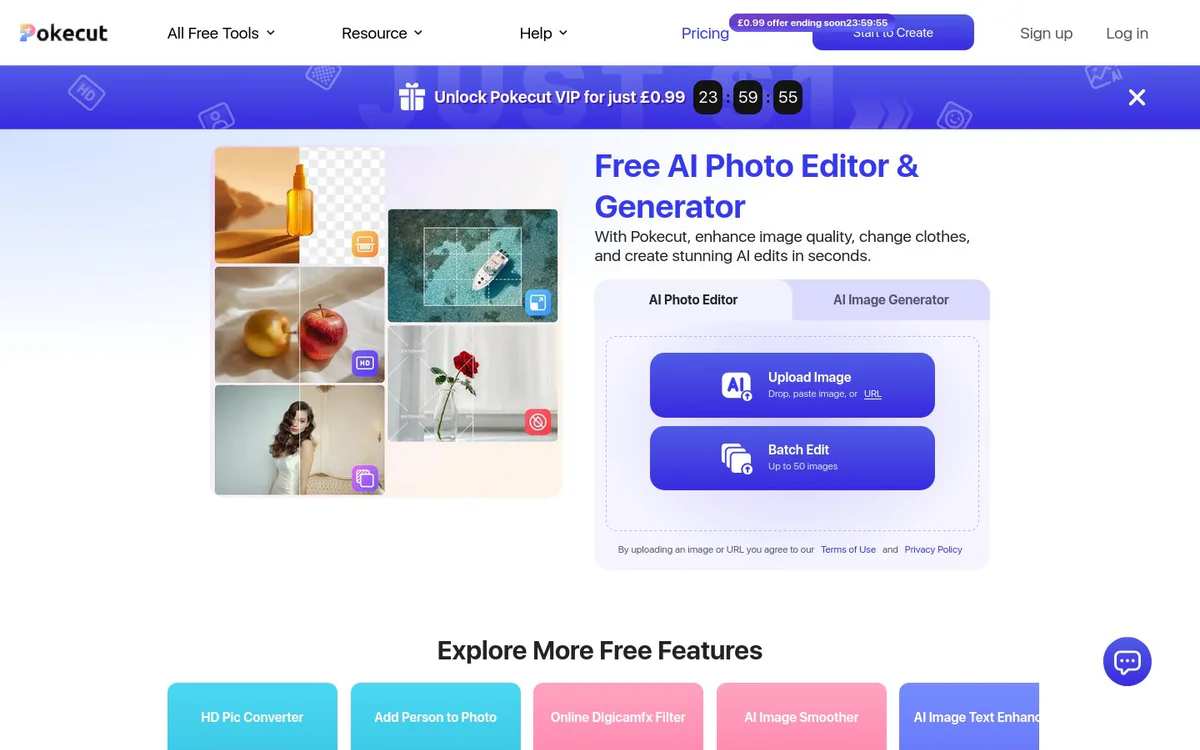
Pokecut is an AI-powered online tool for editing photos, generating images from text or other images, removing or changing backgrounds, enhancing portraits and body features, creating compliant ID photos, and batch-processing images for personal or commercial use. It works online without requiring sign-up.
Características principales
AI Photo Editor
Edit images with AI for quality enhancement, clothing changes, object removal, stickers, text, backgrounds, and collages.
AI Image Generator
Generate studio-quality photos and images via text-to-image, image-to-image, AI portraits, AI replace, and AI backgrounds matching user imagination.
Background Removal and Change
Remove or replace image backgrounds, including batch background removal for product photos with clean edges.
AI Portrait Retouch
Enhance facial details with intelligent skin smoothing, light balancing, acne/wrinkle/dark circle removal, and symmetry adjustments while keeping natural texture.
Facial and Body Feature Refinement
Refine jawlines, slim cheeks, brighten eyes, and adjust body proportions such as waist shaping and hip lift with realistic shadows and textures.
AI ID Photo Maker
Generate compliant passport, visa, resume, and work photos in over 80 global formats with automatic posture, lighting, background color, and formal attire adjustments.
Batch Editing
Process up to 50 images at once for tasks including background removal and other repetitive edits to speed e-commerce and multi-image workflows.
Additional Free Tools
Includes HD Pic Converter, Add Person to Photo, Digicamfx Filter, AI Image Smoother, AI Image Text Enhancer, Gigachad Filter, Motion Blur, Landscape to Portrait, Watermark Remover, and more.
Casos de uso
- #1
Professional Portraits and Headshots
Create LinkedIn headshots, social media portraits, couple photos, or festival-style images with AI lighting, skin tone, and composition enhancements.
- #2
E-commerce Product Image Processing
Batch-remove backgrounds, remove unwanted objects, and prepare retail-ready product photos for faster merchant workflows.
- #3
Passport Visa and ID Photos
Produce studio-quality official ID photos meeting global size and format standards with correct backgrounds and attire.
- #4
Everyday Personal Photo Editing
Remove unwanted objects, add stickers text and backgrounds, create collages, or enhance trip and moment photos as a daily companion.
Planes de precios
Core AI photo editor and generator tools are free and usable without sign-up; VIP unlock and Pricing page are offered with limited-time promotions.
Alternativas








Preguntas frecuentes
Is Pokecut free to use?
Do I need to create an account to use Pokecut?
What is the limit for batch editing?
What ID photo formats does Pokecut support?
Is Pokecut suitable for beginners?
How can I contact Pokecut support?
Pokecut Contacto y redes sociales
- Soporte
- Sitio web:
Reseñas
Comparte tu experiencia con esta herramienta...