
Voice Out
FreemiumChrome text-to-speech extension that reads aloud Google Docs, PDFs, webpages, and books with natural voices in 60+ languages.
Información de la herramienta
¿Qué es Voice Out?
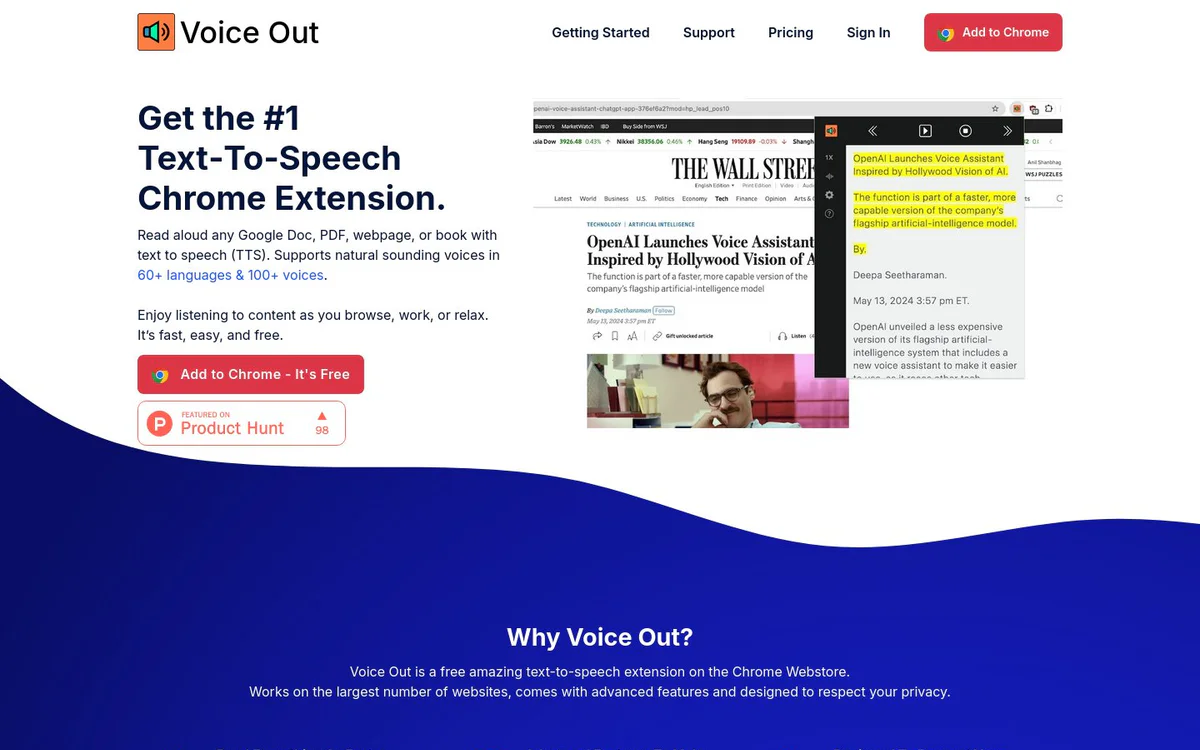
Voice Out is a free Chrome extension that provides text-to-speech for reading web content, documents, and books aloud. It supports multi-language natural voices and advanced playback controls so you can listen hands-free across Google Docs, PDFs, webpages, and more.
Características principales
Text-to-Speech for Documents and Web
Reads aloud any Google Doc, PDF, webpage, or book using text-to-speech.
Multi-Language and Multi-Voice Support
Supports natural-sounding voices in 60+ languages and 100+ voices.
Advanced Playback Controls
Includes background listening, highlighting, pausing, skipping, and controls to change speed, pitch, and volume.
Keyboard Commands
Built-in key press commands for easy operation.
Privacy-Respecting Design
Requires only minimal permissions and does not track users or sell data.
Hardware Compatibility
Works with existing computer hardware on Windows, Mac, Linux, and Chromebooks without special equipment.
Casos de uso
- #1
Faster Content Consumption
Listen to content while browsing, working, or relaxing and read faster with speed controls.
- #2
Language Learning
Listen while reading along to improve skills when learning a second language.
- #3
Accessibility for Learning Disabilities
Read content aloud to help users with learning disabilities fully grasp material.
- #4
Writing and Editing Review
Hear drafts and manuscripts to catch errors and improve dialogue or text quality.
- #5
Multitasking Knowledge Intake
Absorb information from content while performing daily chores.
Planes de precios
Free plan includes reading aloud in 60+ languages for Google Docs, PDFs, webpages, or books plus built-in key press commands. Premium unlocks 100+ natural-sounding premium voices and premium support. Users can start free and upgrade as needed.
Alternativas






Preguntas frecuentes
What is Voice Out?
Is Voice Out free to use?
How many languages and voices does Voice Out support?
What platforms does Voice Out work on?
Does Voice Out respect user privacy?
What kinds of content can Voice Out read aloud?
Voice Out Contacto y redes sociales
- Soporte
- Sitio web:
- Twitter
- YouTube
- LinkedIn
Reseñas
Comparte tu experiencia con esta herramienta...