
Mailbird
FreeDesktop email client for Windows and Mac that unifies multiple email accounts in one customizable workspace with productivity tools.
Informations sur l’outil
Qu'est-ce que Mailbird ?
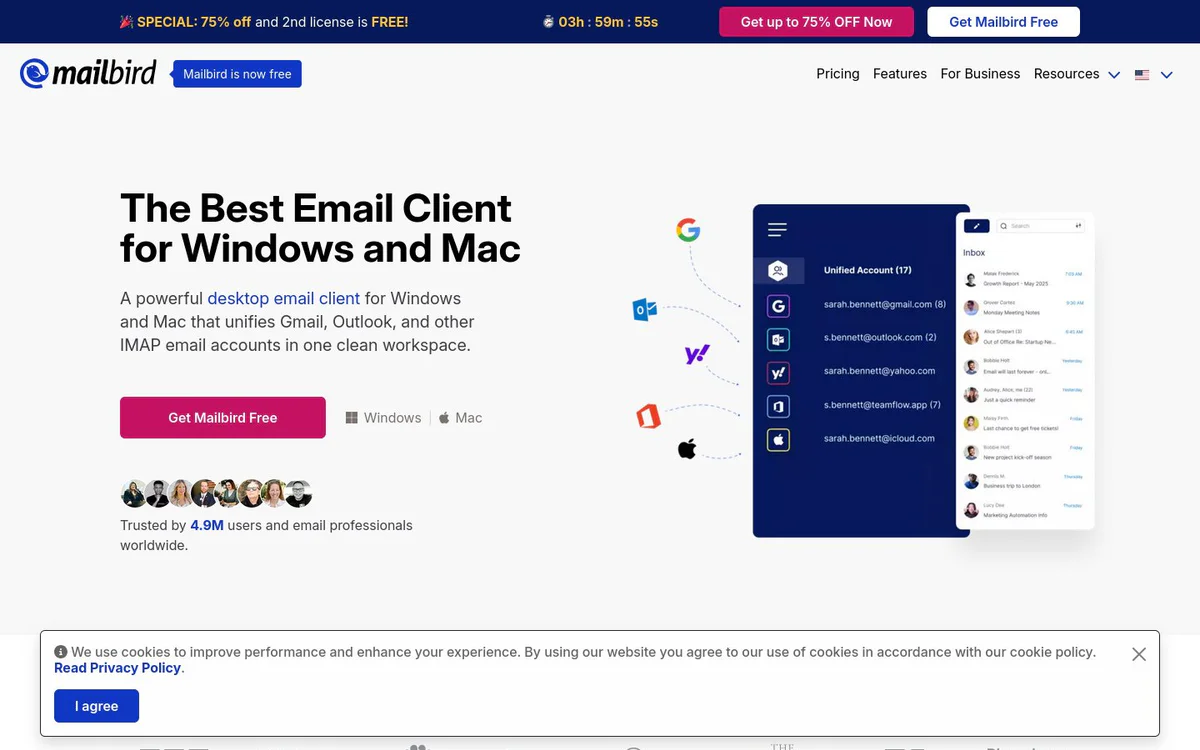
Mailbird is a desktop email client for Windows and Mac that centralizes Gmail, Outlook, Exchange, and IMAP accounts into a single fast, intuitive workspace. It combines email management, open tracking, app integrations, message snoozing, advanced search, and AI-assisted authoring to help users handle multiple inboxes without constant app switching.
Fonctionnalités principales
Centralized email management / Unified inbox
Manage messages and contacts from all email accounts in a single app, centralizing Gmail, Outlook, Yahoo, iCloud, Exchange, and IMAP/SMTP into one inbox.
Email tracking
Find out which recipients opened messages and when they opened them in real time.
Seamless app integration
Access popular apps such as Instagram, Slack, Dropbox, Google Calendar, and Asana directly in Mailbird, with support for 30+ tools or any custom app.
Customizable workspaces
Personalize Mailbird with custom backgrounds such as movies, paintings, or landscapes.
Message snoozing
Temporarily remove non-urgent email from the inbox to focus on high-priority messages.
AI-powered email authoring
Use ChatGPT to generate natural-sounding, human-like email in seconds to overcome writer's block.
Speed reading technology
Improve reading speed and comprehension with a Speed Reader tool and selectable words-per-minute pace.
Unsubscribe and block senders
Block senders and unsubscribe from emails with a single click to keep spam out of the inbox.
Attachment search
Find any attachment in the inbox with powerful search, including long-forgotten ones.
Dark and light themes
Switch between dark theme for low-light environments and light theme for well-lit areas.
Keyboard shortcuts
Use keyboard shortcuts for common actions such as composing, replying, and forwarding.
Advanced search
Quickly locate any email message or attachment with powerful search tools.
Cas d'utilisation
- #1
Unified multi-account email management
Bring Gmail, Outlook, Yahoo, iCloud, Exchange, and other IMAP accounts into one desktop client to reduce app switching and manage all messages from a single workspace.
- #2
Email open tracking for follow-ups
Track when emails are opened in real time to time follow-ups more effectively.
- #3
In-app productivity workspace
Access tools like Slack, Dropbox, Google Calendar, Asana, and Instagram inside the email client to keep workflows connected without tab overload.
- #4
Inbox decluttering
Block unwanted senders and unsubscribe from emails with one click to keep the inbox clean and focused.
- #5
AI-assisted email composition
Generate natural-sounding emails quickly using ChatGPT integration when facing writer's block.
Plans tarifaires
The official site states Mailbird is now free and offers Get Mailbird Free downloads. For Business and Upgrade links exist, but no detailed paid plan specifics or business plan terms are clearly published in the available snapshots.
Alternatives








Foire aux questions
What is Mailbird?
Is Mailbird free?
Which platforms does Mailbird support?
Which email providers work with Mailbird?
Does Mailbird include AI features?
Can I use other apps inside Mailbird?
How can I contact Mailbird support?
Mailbird Contacts et réseaux sociaux
- Adresse2108 N ST # 6439, Sacramento, California, CA, 95816, US
- E-mail d'assistance
- Site Internet :
- Twitter
- Facebook
- Instagram
- YouTube
- LinkedIn
Avis
Partagez votre expérience avec cet outil...