
nao
Open SourceOpen-source analytics agent builder for context engineering
Informations sur l’outil
Qu'est-ce que nao ?
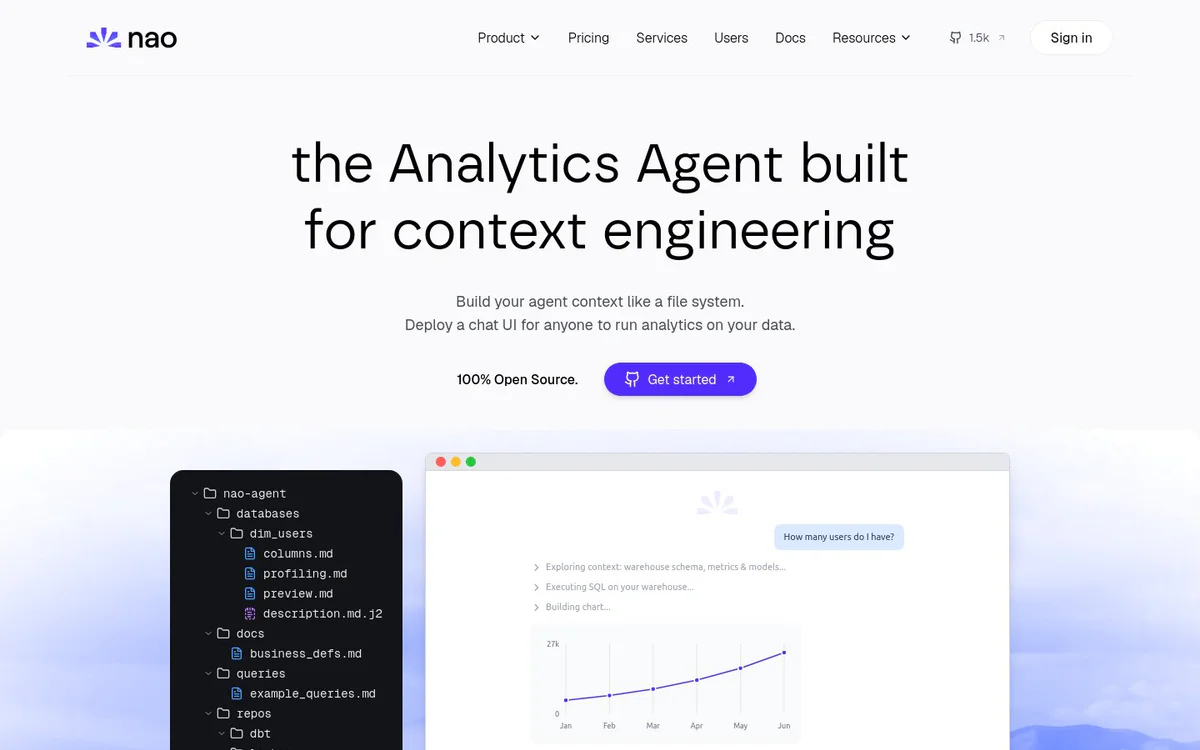
nao is an open-source analytics agent builder for context engineering that lets teams build, evaluate, and deploy reliable analytics agents on their own data stack. It enables users to engineer agent context like a file system, synchronize data and metadata sources, measure reliability with tests, and deploy natural-language analytics chat agents that can be self-hosted or connected via MCP.
Fonctionnalités principales
Context file-system engineering
Create and organize agent context as a file system, adding data, metadata, rules, docs, tools, and MCPs without hard limits.
Context synchronization
Automatically pull and sync context from databases, repositories, and external sources such as Notion.
Context reliability testing
Run unit tests of questions-to-SQL and obtain metrics on context reliability, answer rate, time, and token usage.
Deployable chat UI
Deploy a chat interface so anyone can ask plain-English questions about data and create data stories while monitoring chats.
Bring your own key (BYOK)
Deploy chat with your own LLM key and pay only for token consumption.
Multi-channel access via MCP
Ask questions from Slack, Teams, WhatsApp, Telegram, Claude, Codex, Cursor, or anywhere with nao MCP.
Self-hosting
Self-host the analytics agent with your own LLM keys so data stays in your infrastructure under your control.
Context Engineering playbook
Guidance on optimizing agent context for reliability, structure, and modularity.
Cas d'utilisation
- #1
Build reliable analytics agents
Engineer structured context from warehouse schemas, metrics, models, docs, and rules to create dependable analytics agents.
- #2
Natural-language data analytics
Let users ask questions about data in plain English through a chat UI or integrated channels.
- #3
Measure and improve agent reliability
Create tests for questions-to-SQL and monitor pass rates, answer rates, latency, and token usage.
- #4
Secure self-hosted analytics
Run the agent and LLM keys inside your own infrastructure for maximum data control.
- #5
Team-wide analytics access
Deploy a chat UI or MCP connections so non-technical users can run analytics on shared data context.
Plans tarifaires
Described as 100% open source. Users can self-host and bring their own LLM key, paying only for token consumption. Pricing and Services pages are linked but detailed plans are not specified in the provided snapshots.
Alternatives







Foire aux questions
What is nao?
Is nao open source?
Can I self-host nao?
How does context engineering work in nao?
Where can users ask questions with nao?
How can I measure agent reliability?
nao Contacts et réseaux sociaux
- SociétéNao Labs
- Assistance
- Site Internet :
- YouTube
- LinkedIn
- GitHub
Avis
Partagez votre expérience avec cet outil...