Goodnotes
UnknownCross-device digital note-taking app for handwriting, PDF annotation, whiteboards, audio recording, real-time collaboration, and AI-powered productivity.
Informations sur l’outil
Qu'est-ce que Goodnotes ?
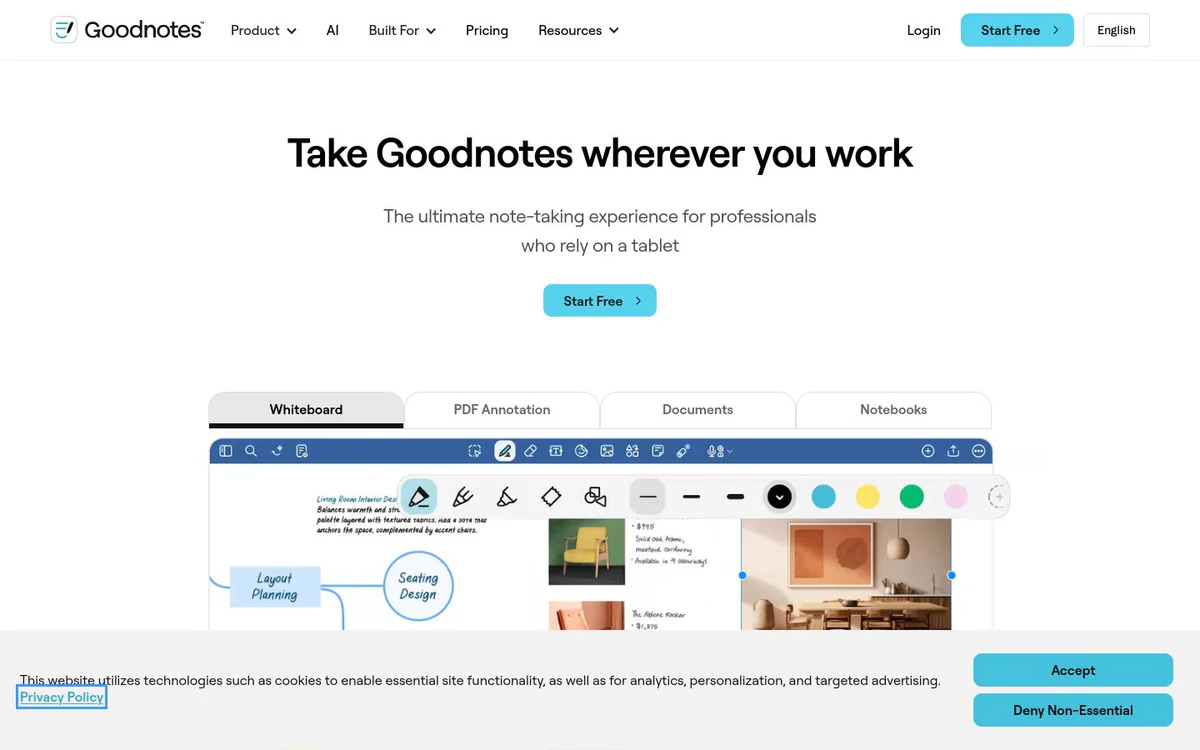
Goodnotes is a cross-device digital note-taking app that enables professionals, students, and teams to capture ideas via handwriting, typing, sketches, or audio; organize notes; annotate PDFs; collaborate in real time; and use AI to summarize, search, and convert notes into actionable outputs across devices.
Fonctionnalités principales
Handwriting Notetaking
Capture and organize thoughts with natural handwriting optimized for tablets, including hand rest, quick writing, cross-out erase, and conversion to text.
QuickNotes
Open a notebook or start recording with a single tap to instantly capture ideas, phone numbers, sketches, or meeting notes without naming or folder selection.
PDF Annotation
Mark up any PDF by hand, search annotations, collaborate with teams, and export as needed.
Whiteboard
Collaborate visually on an infinite canvas for brainstorming and ideation.
Text Documents
Create and edit typed documents alongside handwritten notes.
AI Productivity
AI-powered search across typed text, handwriting and sketches; automatic summaries; convert notes into mind maps; and turn meeting minutes into project plans.
Audio Recording
Record and transcribe audio seamlessly and sync recordings to handwriting notes.
Real-time Collaboration
Share and work together live across notebooks, documents, and whiteboards without version chaos.
Cross-device Sync
Start work on a tablet, continue on a phone, and finish on a laptop with automatic syncing across devices.
Enterprise Security and Compliance
Admin controls, encryption, and privacy-first design for secure collaboration and sharing of sensitive data.
Cas d'utilisation
- #1
Meeting Notes
Capture meeting details live, record audio, organize instantly, and convert minutes into project plans or next steps.
- #2
Project Planning
Organize ideas, create shared project workspaces, and move from brainstorming to structured plans.
- #3
Brainstorming Sessions
Use freeform whiteboards, sketches, and infinite canvas for visual ideation and collaboration.
- #4
Knowledge Sharing
Centralize team knowledge as a shared source of truth for projects, training, and reference material.
- #5
PDF Review and Document Workflows
Annotate contracts, briefs, reports, floorplans, or other PDFs and iterate across documents without switching tools.
- #6
Education and Student Learning
Support student and education workflows with AI built for learning and flexible note capture.
Plans tarifaires
Official pages prominently display a 'Start Free' call-to-action and link to a Pricing page, but no specific tiers, prices, freemium limits, or paid plan details appear in the provided snapshots.
Alternatives






Foire aux questions
What is Goodnotes?
Does Goodnotes support natural handwriting on tablets?
Can I annotate PDFs and collaborate on them?
What AI features does Goodnotes offer?
Does Goodnotes support real-time collaboration and cross-device sync?
How much does Goodnotes cost?
Who is Goodnotes designed for?
Goodnotes Contacts et réseaux sociaux
- Assistance
- Site Internet :
- Twitter
- Facebook
- Instagram
- LinkedIn
- TikTok
Avis
Partagez votre expérience avec cet outil...