
Online Audio Converter
FreemiumFree browser-based online tool for converting audio files across 300+ formats, extracting audio from video, and applying advanced settings with batch support.
Informations sur l’outil
Qu'est-ce que Online Audio Converter ?
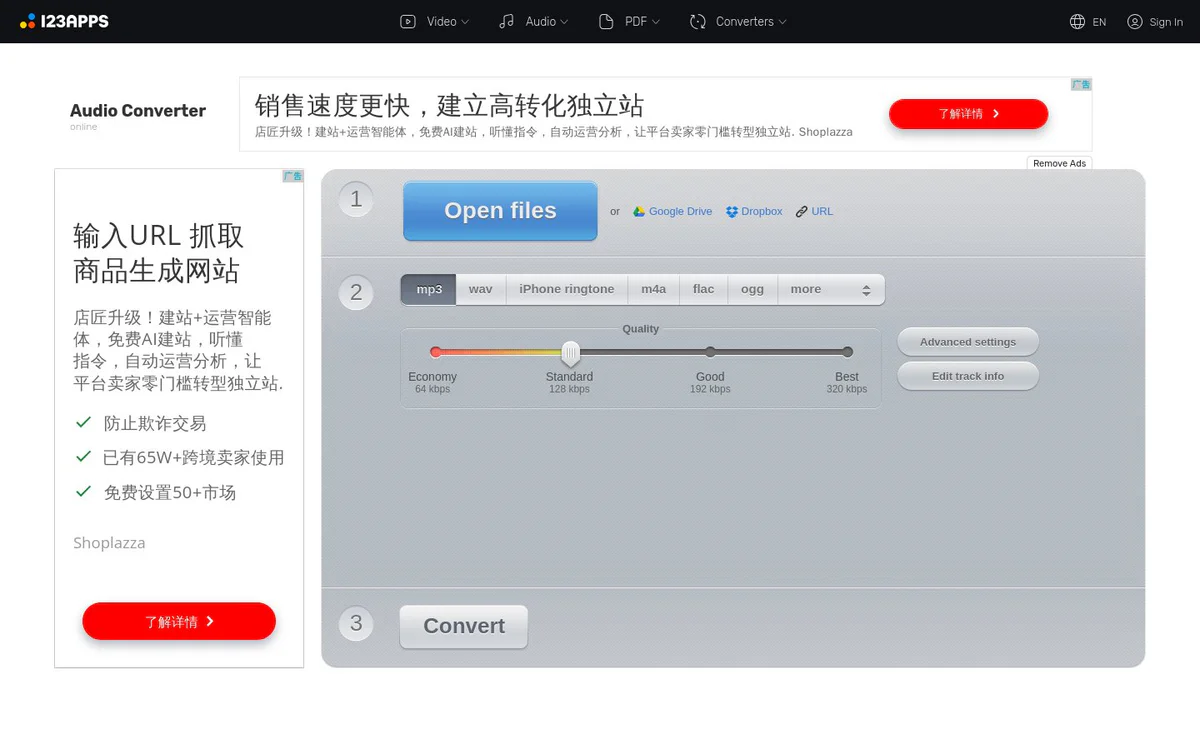
Online Audio Converter is a free browser-based tool that converts audio files between many formats online, extracts audio tracks from videos, edits tags and advanced parameters, and lets you download results without software installation. It supports batch processing, cloud saves, and automatic file deletion for privacy.
Fonctionnalités principales
Multi-format conversion
Works with over 300 file formats including video, converting them to mp3, wav, m4a, flac, ogg, amr, mp2, and m4r for iPhone ringtones.
Extract audio from video
Extracts an audio track from a video file to save a song from a movie or music video.
Advanced settings
Configure quality, bitrate, sample rate, channels, fade in, fade out, reverse playback, or remove a voice from the audio track.
Batch conversion
Converts multiple files simultaneously and packages them in a ZIP archive for download.
Tag support
Edit track title, comment, artist, album, year, and genre for mp3, ogg, flac, and wav files.
Browser-based conversion
Converts audio directly in the browser with no installation required; free and secure.
Automatic file deletion
Files are automatically deleted from servers a few hours after processing; only the user has access.
Cloud save options
Save converted files to Google Drive or Dropbox in addition to direct download.
Cas d'utilisation
- #1
Audio format conversion
Convert audio files to MP3, WAV, MP4, M4A, OGG, or iPhone ringtone (m4r) formats.
- #2
Extract sound from video
Pull an audio track from a movie or music video to keep a particular song.
- #3
Batch audio conversion
Process multiple files at once and download them together as a ZIP archive.
- #4
Edit audio metadata
Update title, artist, album, year, and genre tags on supported formats before download.
- #5
Create iPhone ringtones
Convert audio to m4r format suitable for iPhone ringtones.
Plans tarifaires
Free online conversion with ads. Premium at $6 per month unlocks access to 51 apps, files up to 10 GB, AI audio processing, unlimited files, and no ads. Yearly plan available with 20% discount. Cancel anytime.
Alternatives






Foire aux questions
What is Online Audio Converter?
Which audio formats does it support?
Can I extract audio from a video file?
Does it support batch conversion?
Is Online Audio Converter free?
How are my files protected?
Can I save converted files to cloud storage?
Online Audio Converter Contacts et réseaux sociaux
- Société123apps.com
- E-mail d'assistance
- Assistance
- Site Internet :
Avis
Partagez votre expérience avec cet outil...