
Morgen
FreemiumAI-powered daily planner that unifies calendars and task managers for time blocking, scheduling, and focus protection.
ツール情報
Morgenとは何ですか?
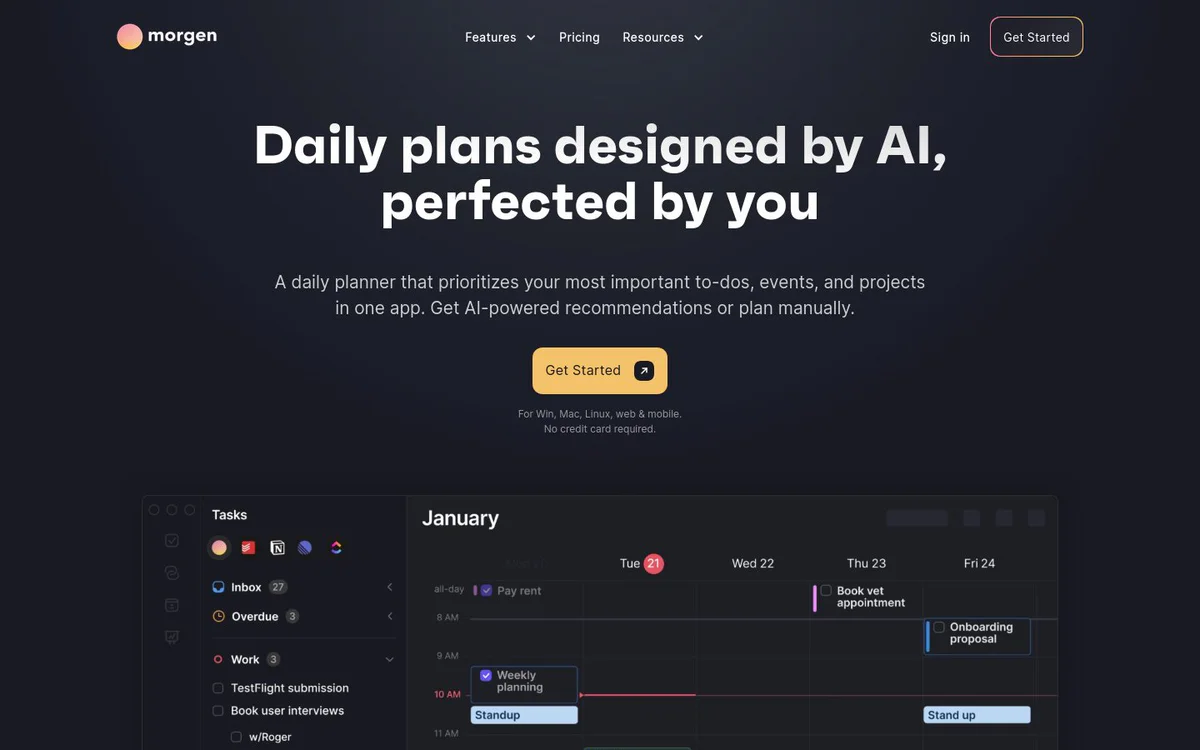
Morgen is an AI-assisted daily planner that prioritizes tasks and events across connected calendars and task tools. It enables time blocking, adaptive scheduling, and protected focus time in a single application, with plans designed by AI and refined by the user.
コア機能
AI Planner
Generates daily plans that prioritize important to-dos, events, and projects; reprioritizes on conflicts; reminds of uncompleted tasks; evaluates capacity and flags tasks at risk of being late; supports live recommendations guided by user Frames.
Frames
Templates for an ideal week that guide the AI Planner while keeping the plan fully under user control for preview, adjustment, and confirmation.
Multi-calendar management
Consolidates calendars from Google, Outlook, Apple, Fastmail and more; supports Calendar Sets for viewing together or in subsets; includes reminders configurable per calendar or event.
Task integration and scheduling
Filters and schedules tasks from project management, to-do, and PKM tools such as Notion, ClickUp, Linear, or Todoist directly onto the calendar; displays due dates to avoid missed deadlines.
Built-in scheduling links
Share personalized booking links that check availability in real time based on selected calendars.
Team availability
View colleagues' availability and receive recommended meeting times that avoid disrupting focus.
Calendar automations
Calendar sync to copy events between calendars with customizable appearance; automatic travel time blocking based on location, mode, and time of day; automatic buffer time around meetings.
Kai AI executive assistant
AI executive assistant feature introduced by Morgen.
使用例
- #1
AI-assisted daily and weekly planning
Generate and refine daily plans that prioritize high-impact work while adapting to schedule changes.
- #2
Time blocking tasks from external tools
Drag or schedule tasks from Notion, ClickUp, Linear, Todoist and similar tools onto the calendar to protect focus time.
- #3
Unified work and personal calendar management
Combine multiple calendars in one place to avoid double-bookings, missed events, and overloaded days.
- #4
Meeting scheduling with availability
Share booking links and find team meeting times that respect focus blocks.
- #5
Automated calendar hygiene
Sync events, add travel time, and insert buffers automatically to keep availability accurate.
料金プラン
Get Started is offered with no credit card required; detailed plan tiers are not specified on the homepage snapshot.
代替案







よくある質問
What is Morgen?
How does the AI Planner work?
Which calendars and task tools does Morgen support?
Is Morgen free to start?
What platforms is Morgen available on?
What are Frames in Morgen?
Does Morgen help with team meetings and booking?
Morgen 連絡先とソーシャルメディア
- サポートメール
- サポート
- ウェブサイト:
- YouTube
- Discord
レビュー
このツールの使用経験を共有してください...