
FreeTTS
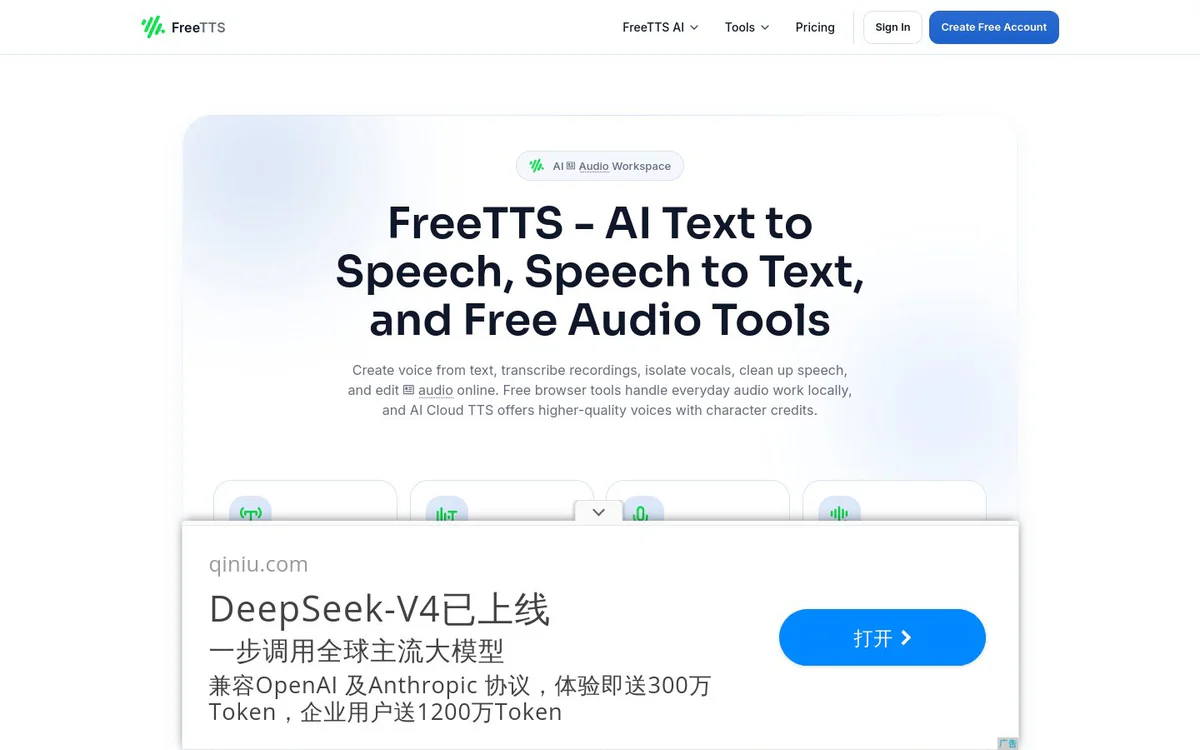
FreemiumFree browser-based AI suite for text-to-speech, transcription, vocal removal, voice enhancement, and audio editing.
Informações da ferramenta
O que é FreeTTS?
FreeTTS is a free browser-based AI suite that lets users create speech from text, transcribe audio, isolate vocals, enhance voices, and edit audio files online. It combines free local browser tools with optional AI Cloud TTS credits for higher-quality voices.
Recursos principais
Text to Speech
Convert text to natural speech using Device TTS, AI Local TTS, or AI Cloud voices with free monthly characters and optional paid credits.
Speech to Text
Transcribe spoken audio into editable text with AI speech recognition for meetings, recordings, lessons, and content drafts.
AI Vocal Remover
Separate vocals and instrumentals from songs for karaoke, remixing, practice tracks, and creative audio projects.
AI Voice Enhancer
Improve voice recordings by reducing noise, restoring clarity, and making speech easier to understand for formats including MP3, OGG, and WAV.
Audio Cutter
Cut and trim audio files in the browser with waveform editing, precise slice controls, and WAV export.
Audio Joiner
Merge multiple audio files, reorder tracks, select needed sections, and export one clean WAV file without uploading for some operations.
Audio Compressor
Compress and reduce the size of audio files in batch with controls for bitrate, sample rate, channel, and format.
Audio Converter
Convert audio files between formats including MP3, WAV, OGG, AAC, M4A, FLAC and more using browser-based batch processing.
Batch Processing
Convert or enhance multiple files at once to improve efficiency for larger projects.
Local Browser Processing and Privacy
Browser-based tools process files locally when possible; cloud AI features use server processing with short retention windows, automatic cleanup, and encrypted uploads.
Casos de uso
- #1
Voiceovers and audiobooks
Convert text into natural high-quality speech for presentations, audiobooks, or voiceovers.
- #2
Transcription and note-taking
Transform audio into editable text for meetings, recordings, lessons, and content drafts.
- #3
Karaoke and remixing
Separate vocals and instruments to create karaoke tracks, remixes, practice tracks, or music production assets.
- #4
Podcast and voice recording cleanup
Enhance voice and audio quality by eliminating noise and optimizing clarity for podcasts or voiceovers.
- #5
Audio format conversion and compression
Batch convert between common audio formats and compress files to reduce size while controlling quality settings.
- #6
Audio cutting and joining
Trim selected parts of audio or merge multiple files into a single clean output in the browser.
Planos de preços
Browser-based audio tools are free with unlimited core tools and no subscription required. AI Cloud TTS starts with a free monthly character allowance and allows optional paid credits for additional usage; pricing uses clear credits without hidden fees.
Alternativas






Perguntas frequentes
What is FreeTTS?
Is FreeTTS free to use?
What audio tools does FreeTTS offer?
Does FreeTTS process files locally?
Who is FreeTTS for?
How does AI Cloud TTS pricing work?
FreeTTS Contato e mídias sociais
- Suporte
- Site:
Comentários
Compartilhe sua experiência com esta ferramenta...