
Video2PPT
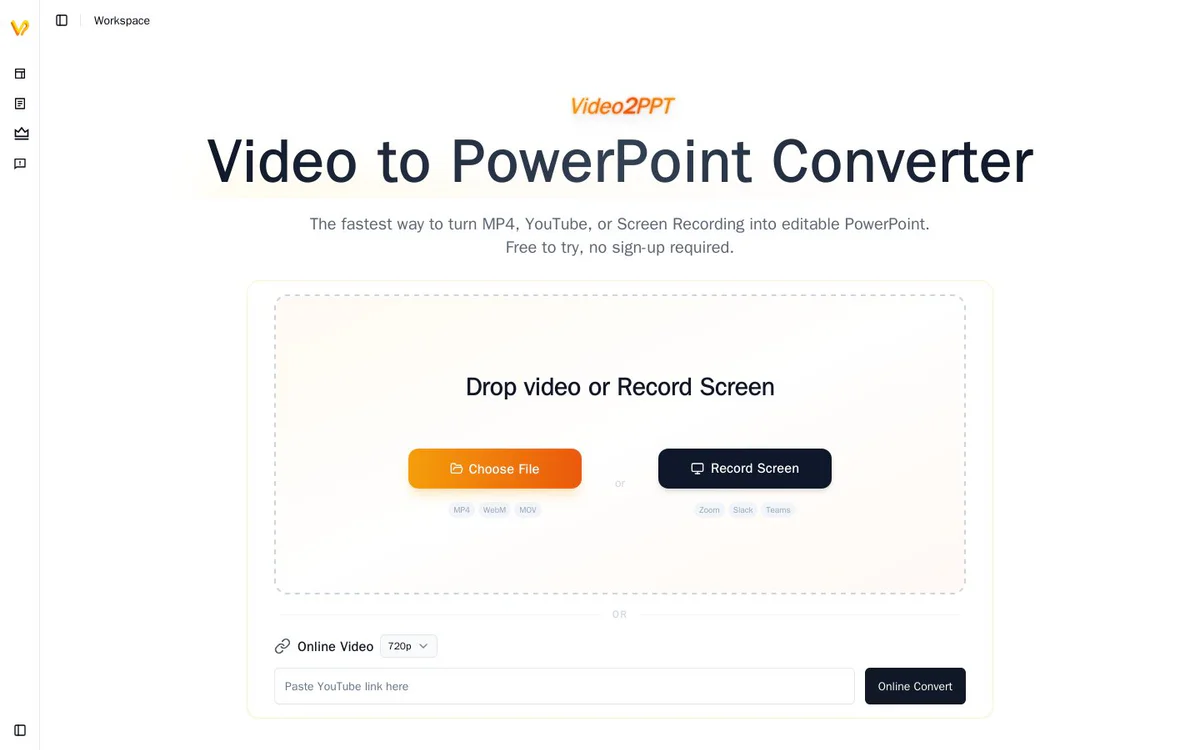
FreemiumAI-powered tool that converts YouTube, MP4, and screen-recording videos into editable PowerPoint slides, PDFs, transcripts, and related formats.
Informações da ferramenta
O que é Video2PPT?
Video2PPT is an AI-powered tool that extracts key frames and content from videos to produce editable PowerPoint presentations, transcripts, and multi-format exports. It is built for reusing material from courses, webinars, meetings, and demos by turning YouTube, MP4, and screen-recording sources into ready-to-edit slides while keeping processing local and private.
Recursos principais
Smart Content Extraction
AI identifies and extracts key frames from videos and delivers them as ready-to-use PowerPoint format.
Multiple Video Sources
Supports local uploads, screen recordings, and major platforms including YouTube and Vimeo.
HD Screen Recording
Records Zoom, Google Meet, Microsoft Teams meetings, and webinars with automatic slide extraction.
Batch Processing
Converts multiple videos at once to save time on manual extraction.
Multiple Export Options
Exports to native PowerPoint, Google Slides, PDF, or HTML formats.
Privacy and Local Processing
All video processing happens locally so data remains private and secure.
Editable PowerPoint Output
Produces decks where text stays editable, original layout is closely preserved, and the result is ready for further PowerPoint editing.
Video Transcription
Converts speech to text with timestamp-aligned transcripts for export as scripts, notes, or sharing.
Local Offline Desktop Use
After installation and activation, the desktop app works locally and offline with lifetime access after one-time purchase.
Lightning-Fast Processing
High-speed conversion capable of turning a 2-hour video into slides in about 1 minute, with batch support for 20+ videos.
Casos de uso
- #1
Training and corporate video slide extraction
Convert weekly training videos and internal recordings into editable decks to replace hours of manual screenshotting.
- #2
Lecture and course material generation
Extract slides and study materials from recorded lectures so students receive content quickly while keeping processing local.
- #3
Webinar and marketing deliverable creation
Batch-extract slides from multiple webinars for client-ready presentations and marketing assets.
- #4
Meeting and client recording conversion
Turn Zoom or Teams client recordings into polished editable PowerPoint deliverables for consultants.
- #5
Educational content reuse
Extract presentation decks from multi-platform course videos for creators who need reusable slide assets.
Planos de preços
Free plan at $0 with no signup: up to 10-minute duration and 3 video conversions per month, with YouTube and screen recorder support plus batch processing. Pro at $10 per month: unlimited video duration, 100 conversions per month, 100 editable PowerPoint pages, 600 minutes of video transcription, watermark removal, and cancel anytime. Lifetime one-time purchase at $129 (listed from $199): unlimited duration, conversions, editable PowerPoint, and transcription, plus access to all future features and offline desktop use. Temporary access options noted as low as $1.9. Core features free forever; upgrade for professional experience.
Alternativas







Perguntas frequentes
What is Video2PPT?
Does Video2PPT keep my data private?
What video sources and platforms does Video2PPT support?
What export formats are available?
What are the pricing plans for Video2PPT?
Can Video2PPT process multiple videos at once?
Is there an offline desktop version?
Video2PPT Contato e mídias sociais
- E-mail de suporte
- Site:
- Twitter
- YouTube
- LinkedIn
Comentários
Compartilhe sua experiência com esta ferramenta...