
Runbear
FreemiumAI teammates in Slack and Microsoft Teams that automate ops, support, and RevOps across 2,000+ tools
Информация об инструменте
Что такое Runbear?
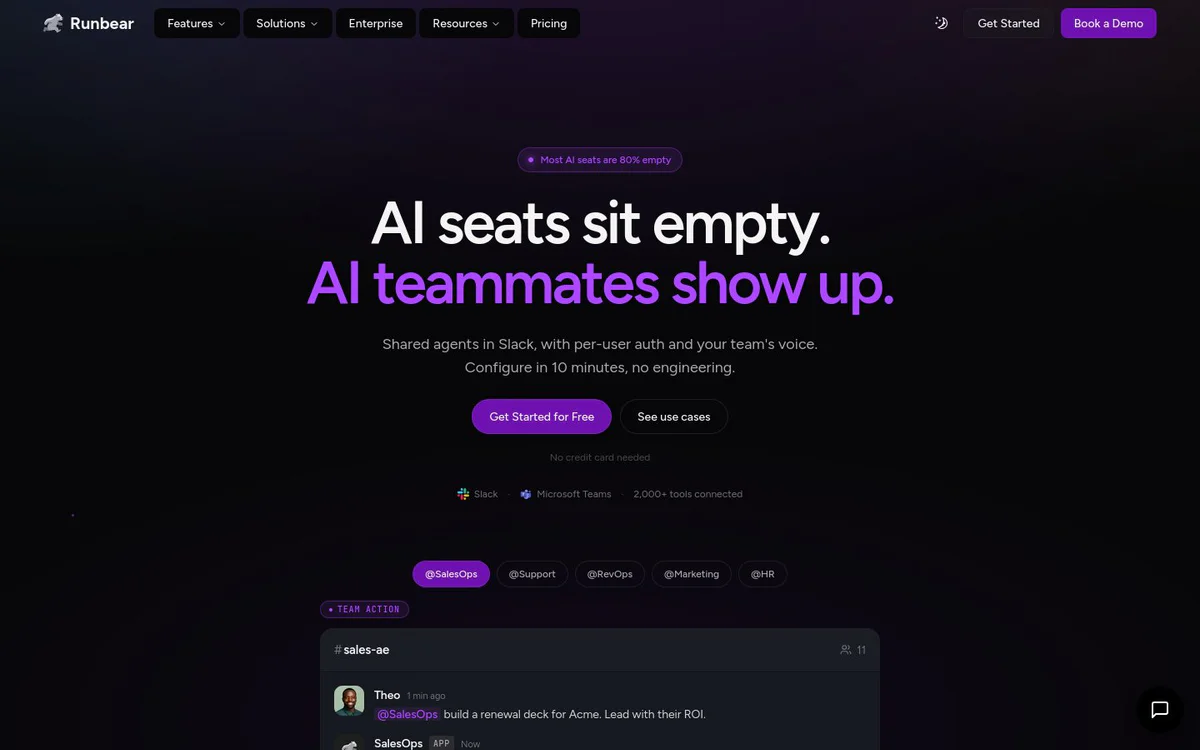
Runbear is an AI agent platform that deploys shared teammates inside Slack and Microsoft Teams. These agents listen to messages, complete tasks across connected business tools, and run automated workflows for ops, customer success, sales, and RevOps teams without requiring engineering work.
Основные функции
Shared AI teammates in Slack
Deploy shared agents in Slack channels that act with per-user authentication and the team's voice, drafting replies, tagging humans when unsure, and completing multi-step work in place.
2,000+ tool connections
Connect agents to Notion, Linear, HubSpot, Salesforce, and thousands of other tools so they can pull context and take actions without leaving Slack.
No-code 10-minute setup
Configure and deploy agents in about 10 minutes with no engineering required, then hire agents via chat.
Slack and Microsoft Teams support
Run agents natively where work already happens by connecting Slack or Microsoft Teams as the primary workspace.
Message automation and auto-drafts
Automatically draft replies for internal help desk pings and customer support threads so teams do not retype the same answers.
AI agents for tasks via MCP
Use MCP servers to let Slack agents create tickets, query data, manage workflows, and call tools such as Jira, Confluence, Stripe, Zendesk, Asana, and Airtable with natural language.
Automated multi-step workflows
Chain tools end to end, for example watching Gmail, parsing orders with AI, writing to a system of record via MCP, and notifying the team in Slack.
Credits-based self-serve platform
Hire agents, wire tools, and review what agents shipped from a self-serve app without IT tickets, using credits instead of seats.
Варианты использования
- #1
AI support triage and ticket routing
Route support requests in Slack to the right owner using live Slack and Notion signals, and draft customer replies with linked product issues.
- #2
Customer support in Slack
Read docs and past tickets, draft answers in the same Slack thread, and escalate to a human when confidence is low.
- #3
Sales and RevOps meeting prep
Prepare meeting briefs from CRM, email, calendar, and call context and deliver them in Slack before customer calls.
- #4
CRM update automation
Draft Salesforce updates from calls for reps to approve in Slack, reducing manual CRM chasing.
- #5
Customer onboarding and retention signals
Nudge new accounts through onboarding milestones and flag usage drops or at-risk renewals for CS and RevOps in Slack.
- #6
People onboarding and HR Q&A
Meet new joiners in Slack, answer policy questions in the team's voice, and point them to the right handbook docs.
- #7
Email triage and drafting
Auto-label mail, gather CRM and doc context, draft replies, and route summarized emails to the right people in Slack for Gmail and Outlook.
- #8
KPI and analytics delivery in Slack
Pull connected business data and deliver KPI dashboards, charts, trends, and anomaly alerts into Slack on demand.
- #9
Project and knowledge tool operations
Create Jira tickets, search Confluence, manage Asana or Linear work, turn Slack threads into Notion PRDs, and query Airtable or Excel from Slack.
Тарифные планы
Credits-based pricing rather than seats. Free start with no credit card required. Self-serve Team and Business options are presented; larger or higher-security needs are directed to talk to sales.
Альтернативы






Часто задаваемые вопросы
What is Runbear?
How long does setup take?
Which workspaces does Runbear support?
How many tools can agents connect to?
Does Runbear require engineering work?
What is the pricing model?
Runbear Контакты и социальные сети
- Электронная почта службы поддержки
- Поддержка
- Веб-сайт:
- Twitter
- LinkedIn
- GitHub
- Discord
Отзывы
Поделитесь своим опытом использования этого инструмента...